Dex
Integrating a Mastra agent into a knowledge workspace: authenticated tools, web research, thread memory, provider selection and streamed tool results.
Timeline
Ongoing
Role
Full Stack
Team
Solo
Status
In-progressTechnology Stack
Key Challenges
- Passing authenticated user context into agent tools
- Keeping native-agent and MCP permissions consistent
- Restoring thread history without overwriting a live stream
Key Learnings
- Wrapping application services as typed agent tools
- Separating thread memory from workspace retrieval
- Rendering tool calls alongside streamed text
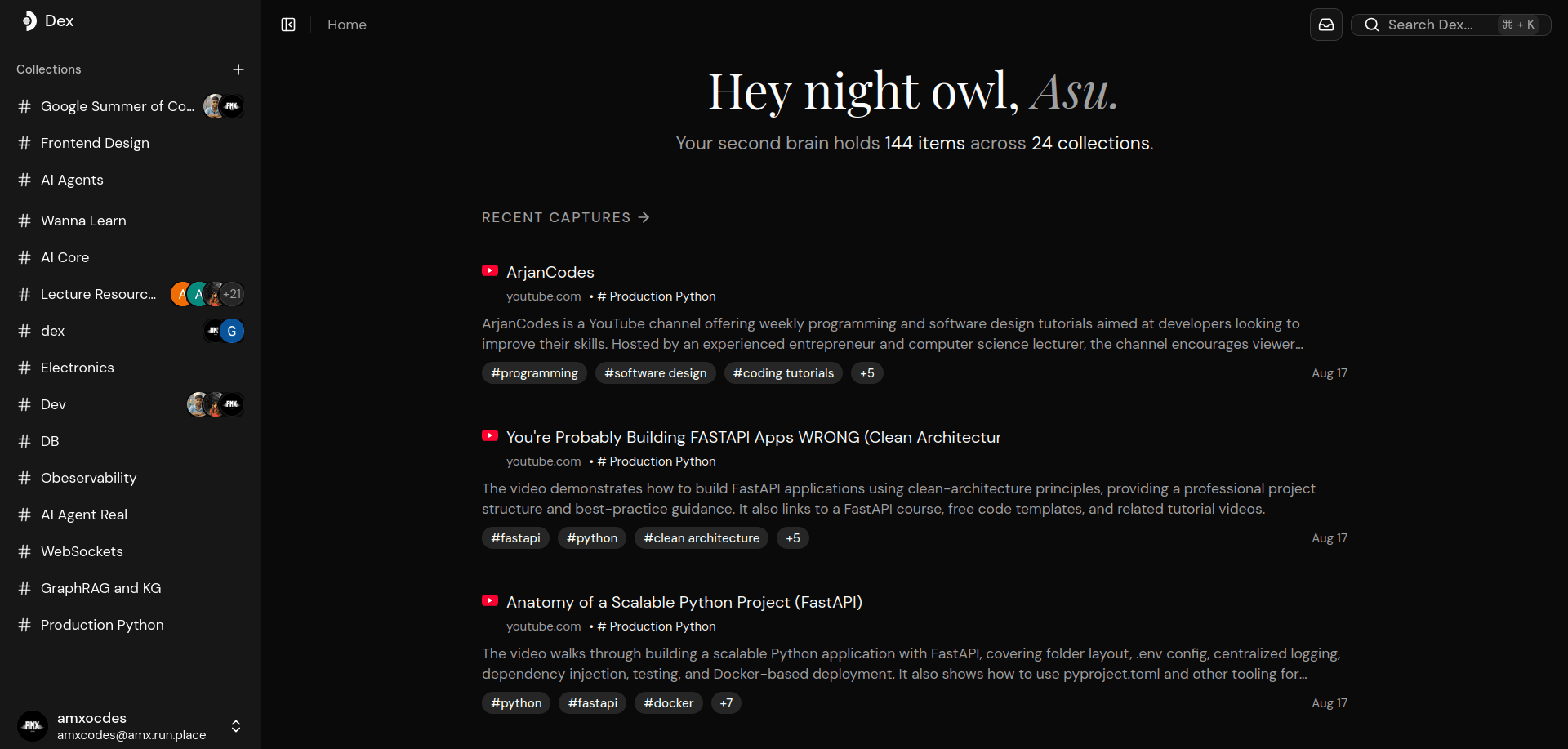
Dex is a workspace for saving links into collections. The agent integration adds another way to use those operations: ask for saved resources, research a topic or add a discovered URL to a collection. The model chooses tools, while the application services perform the reads and writes.
This post follows the
shrishti branch
of dex-demo. The integration spans a React chat client, a Hono server, a Mastra
agent and a separate MCP endpoint for external clients.
Getting a chat request into the agent
The React
ChatProvider
uses the Vercel AI SDK's useChat and DefaultChatTransport. Before sending a
request, it selects the newest message and attaches the conversation's thread
ID, user ID and selected provider/model pair. Cookies accompany the request.
The client sends only the newest message because conversation history is handled through server-side memory. The request has three separate concerns: message content, memory identifiers and model selection. Keeping them separate makes it possible to change the model without changing the conversation ID.
The server registers a Mastra chat route and middleware that reads the model selection from the body. Better Auth resolves the session from the request headers; the middleware puts the authenticated user's ID and name into Mastra's request context. That context is what the native workspace tools use to identify their caller.
The agent definition uses a Zod request-context schema for the user name, provider, model and user ID. Its instructions append the user's name to the base prompt. Workspace contents are retrieved through tools; the setup does not inject every saved item into the prompt on each request.
Tools wrap the existing application services
AgentService provides tools for listing collections, searching saved items, reading a collection, fetching items by ID, creating a collection and adding a URL. Each tool declares its input schema and calls an existing item or collection service. The native agent calls these wrappers directly, without an HTTP round trip to its own MCP server.
The tools limit how much data a call can request. Reading a collection accepts a limit from one to 50, defaults to 25 and returns cursor pagination. Fetching items by ID accepts at most five IDs. The descriptions tell the model to get IDs from earlier tool results rather than invent them.
An illustrative request such as “find resources on databases and save one in my reading collection” could require several calls: discover the collection, search for resources, resolve a URL and add it using the collection ID. That sequence is selected by the agent; it is not encoded as a fixed workflow.
The prompt asks it to look up missing collection context, confirm ambiguous mutations and report tool failures. These instructions guide behavior, but permission checks still belong in executable code.
For example, createItem checks the caller's permission to add to a collection before fetching the URL or calling an enrichment agent. It then reads page metadata, extracts content and asks a separate tagger agent for a structured summary and tags. If metadata has no title, it uses a variant that generates one too. A database transaction inserts the item and its collection association.
Adding a URL therefore does more than store a string. It can involve network requests, another model call and a database write. That is why the access check runs before those side effects.
Saved-item search and web research use different tools
search_items delegates to PostgreSQL full-text search using
websearch_to_tsquery and orders matches with ts_rank. It filters by the
caller's creator ID, with an optional collection scope for MCP requests.
Although the product prompt mentions semantic search, this tool path does not
use embeddings. It also searches items the user created, rather than every
item available through shared collection membership.
The native agent has two additional Tavily tools. webSearch returns titles,
URLs and snippets capped at 500 characters. webFetch extracts page text from
a supplied list of URLs. The prompt asks the agent to discover sources first,
read promising pages when snippets are insufficient and cite the URLs it used.
That keeps discovery and reading separate. A short result can answer a simple lookup, while a deeper request can fetch the underlying page before the agent summarizes it or saves its URL. The requirement to use discovered URLs is a prompt rule; the fetch tool validates URL syntax but does not check whether a URL appeared in an earlier search result.
External agents use a separate MCP adapter
The MCP server exposes the workspace operations through the official MCP SDK. Its handlers and the native agent's tool wrappers are separate definitions, but they reuse the same item and collection services.
MCP requests authenticate with an X-API-Key header. The key resolves to an
actor with either full access or grants to specific collections. The adapter
checks those grants and passes allowed collection IDs into scoped reads and
searches. Creating a collection requires full-access mode.
Each request gets a fresh MCP server and Streamable HTTP transport with session
ID generation disabled. AsyncLocalStorage carries the authenticated actor
through asynchronous tool calls. This gives MCP handlers request-specific
identity without putting one client's actor in a shared global variable.
The two entry points need to agree on more than tool names. A native call gets identity from a browser session; an MCP call gets it from an API key whose scope may be narrower. Reusing services keeps the business operations in one place, while the adapters still have to preserve their respective authorization rules.
Thread memory keeps the task state
The Mastra configuration uses PostgresStore. The agent enables generated
thread titles and thread-scoped working memory with an execution plan, task
list and notepad. The prompt asks it to update that state during longer tasks.
This branch does not configure observational memory or a cross-thread user
profile.
On the web side, new conversations get a client-generated UUID. The thread page tracks that optimistic ID so a history fetch does not replace an active conversation with an empty result. Existing history is converted into AI SDK messages and applied once per thread navigation.
The protected thread router filters thread listings by the authenticated resource ID and checks ownership before returning an existing thread's history, renaming it or deleting it. The chat request itself still carries memory identifiers from the client. I would verify that the streaming path binds those identifiers to the session with the same ownership rules; the history endpoint's checks alone do not establish that boundary for every route.
Resolving the model at request time
The agent's model callback reads the provider and model from request context, checks the pair against the supported-model list and retrieves that user's stored provider key. The key service stores AES-256-GCM ciphertext with an IV and authentication tag. Encryption binds the user ID as additional authenticated data, and decryption supplies the same ID.
OpenAI, Anthropic, Groq and Google use provider factories with the decrypted key. Missing context, unsupported selections or key-resolution errors fall back to the configured default model. That fallback is useful to describe explicitly: selecting a model does not guarantee it will be the model used.
OpenRouter takes a different path in this revision. Its resolver returns a provider/model string before reaching the factory that accepts the user's key. I would check that path before claiming that all provider choices use the stored key identically. The separate webpage tagger also has its own fixed model configuration, so chat model selection does not control every model call made while saving a resource.
Rendering the work alongside the answer
The chat route enables reasoning and source events in its stream. React renders
text parts, a collapsible reasoning section and tool inputs and outputs. The
test_echo tool has a custom component for loading, output and error states;
other tools use a generic tool panel.
The provider throttles chat updates at 400 milliseconds. That is the concrete
rendering control in this branch; there is no frame-rate measurement supporting
the old post's performance claims. The generic tool header also hardcodes
output-available, rather than reflecting the actual tool state, so its status
presentation still needs work.
For a follow-up integration check, I would use one task that reads a saved collection, fetches a source and adds an item, then interrupt and reopen its thread. It would exercise tool permissions, persisted memory and streamed UI state together. A denied mutation or failed fetch should leave both the stored workspace and the visible conversation in a state the user can understand.